

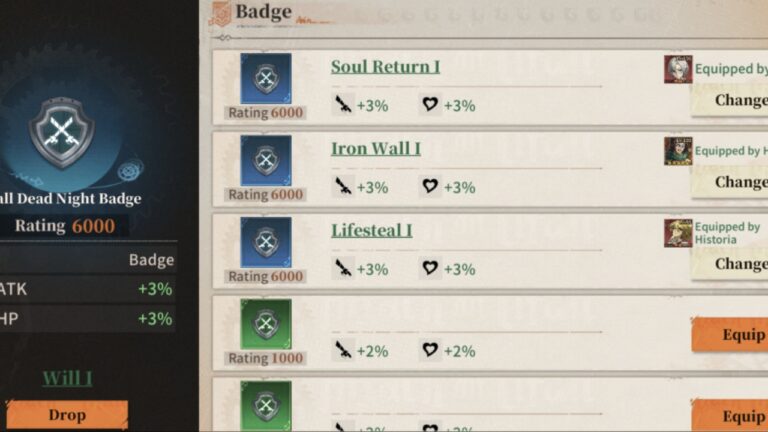

Badges, once equipped, boost your characters in battle, making them a must-have to equip to help you progress. This Titan Regiment Badge Tier List ranks each and explains how to obtain and equip them.
Titan Regiment is available to download via the App Store. For more tiers on this game, I have a Titan Regiment Tier List and a Titan Regiment Weapon Tier List.
Titan Regiment Badge Tier List
Note: This tier ranks all of the skills you get from badges!
- S-Tier: P. Combo IV, Will Combo IV, Will IV, Force IV, Pursuit IV, Fury IV, Rage IV, Healing Down IV, Annihilation IV, Dispel IV, Assault IV, Taunt IV, Devotion IV, Flexibility IV, Blessing IV, Resilience IV, Cure IV, Soul Return IV, Revival IV, Tenacity IV, Anger IV, ArmorPen IV, Lifesteal IV, Thorn IV, Regen IV, Iron Wall IV, Cover IV
- A-Tier: P. Combo III, Will Combo III, Pursuit III, Rage III, Healing Down III, Annihilation III, Dispel III, Assault III, Taunt III, Devotion III, Flexibility III, Cure III, Medic III, Purge III, Raid III, Tenacity III, ArmorPen III, Thorn III
- B-Tier: Will III, Force III, Blessing III, Resilience III, Soul Return III, Revival III, Pierce III, Control III, Immunity III, Anger III, Lifesteal III, Regen III, Iron Wall III, Cover III
- C-Tier: P. Combo II, Will Combo II, Will II, Force II, Pursuit II, Fury II, Rage II, Healing Down II, Annihilation II, Dispel II, Assault II, Taunt II, Devotion II, Flexibility II, Blessing II, Resilience II, Cure II, Soul Return II, Revivial II, Medic II, Pierce II, Control II, Immunity II, Purge II, Raid II, Tenacity II, Anger II, ArmorPen II, Lifesteal II, Thorn II, Regen II, Iron Wall II, Cover II
- D-Tier: P. Combo I, Will Combo I, Will I, Force I, Pursuit I, Fury I, Rage I, Healing Down I, Annihilation I, Dispel I, Assault I, Taunt I, Devotion I, Flexibility I, Blessing I, Resilience I, Cure I, Soul Return I, Revival I, Medic I, Pierce I, Control I, Immunity I, Purge I, Raid I, Tenacity I, Anger I, ArmorPen I, Lifesteal I, Thorn I, Regen I, Iron Wall I, Cover I
How to Equip Badges
To equip a Badge to a character, simply open your team by clicking ‘Soldier’ from the main menu, then choosing a character. From there, click ‘Equip’ from the left-hand side. The two boxes in the middle are where you add Badges, but keep in mind they are locked until your character reaches a specific level.
You can make Badges better by heading to the Industrial City, then select Armory, then Badge Combine. Here, you can insert low-rarity Badges and combine them to make them stronger.
Frequently Asked Questions
Idle Rewards and by playing through the different story chapters and progressing.
Luckily, in the equip menu, you can select ‘Click Equip,’ and the game will automatically equip the best.